Monitoring
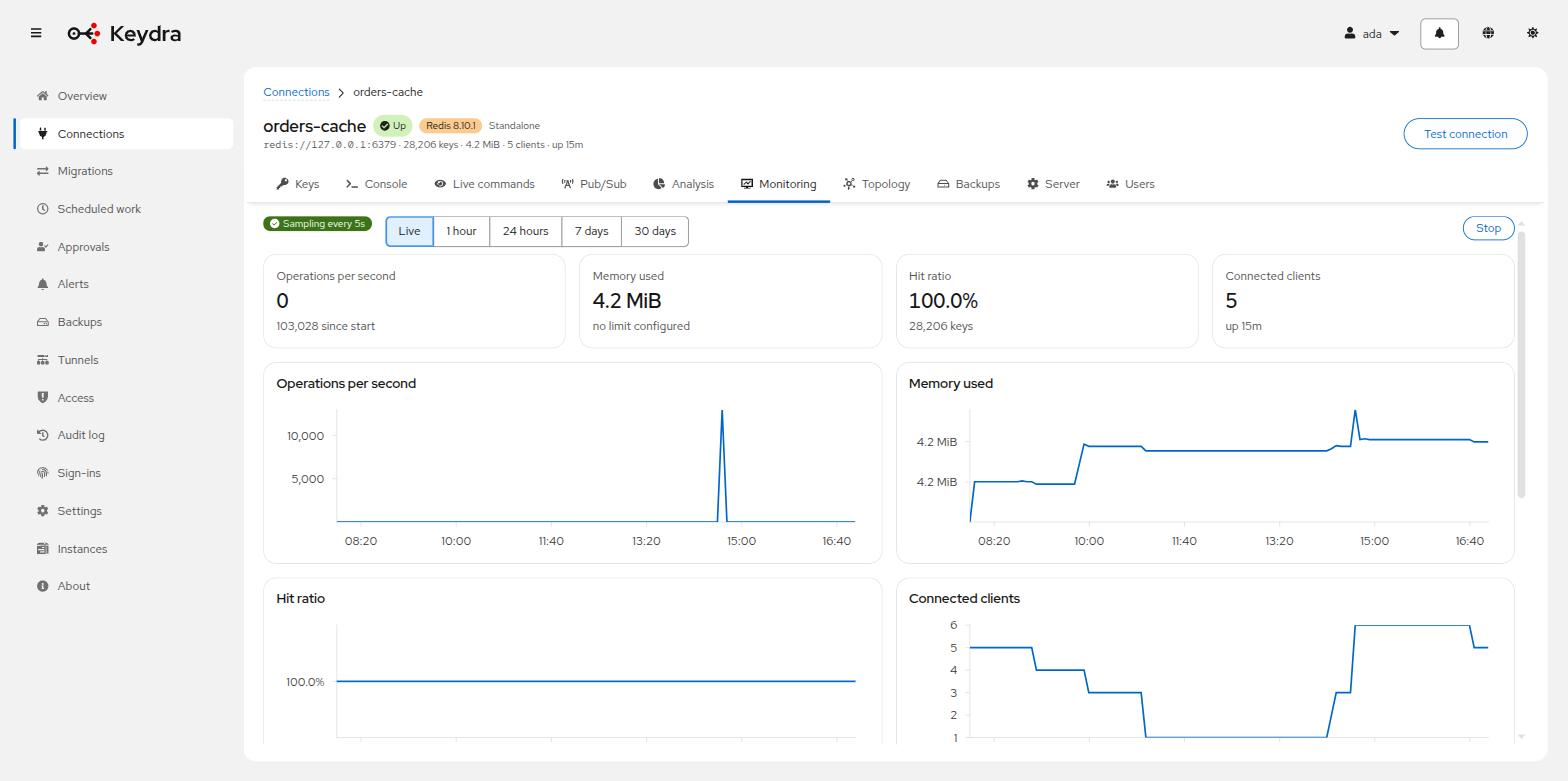
Readings arrive live and nothing is polled. Sampling is off until asked for, and a chart says whether its numbers came from memory or from the store.
What sampling is, and why it is off#
Sampling costs a round trip per interval whether anyone is watching or not, so it is off
until asked for. When it is on, Keydra reads the target’s INFO on a timer, keeps
the readings, and pushes each one over the notification hub. The dashboard never polls.
Sampling is held by reasons rather than by a single switch. Opening a dashboard is one reason; an enabled alert rule is another. Closing your dashboard does not stop a colleague’s, and it does not stop a rule from watching.
Where a chart’s numbers come from#
Two places, and the page says which:
- From memory
-
The last hour, held in a ring buffer in the process. Fast, and gone when Keydra restarts.
- From the store
-
A ClickHouse configured as the readings store, in buckets. This is what lets a chart show the week before a restart. Optional, and off by default — see Keeping readings across restarts.
The Window selector offers Live, 1 hour, 24 hours, 7 days and 30 days. A window nothing kept that far back says Nothing kept this far back rather than drawing an empty chart.
Watching a target#
-
monitoring:readto see the dashboard,monitoring:manageto start and stop sampling.
-
Open the target and go to Monitoring.
-
Click Start sampling. The toolbar then reads Sampling every {seconds}s.
-
Choose a Window.
The charts fill: Operations per second, Memory used against the configured limit, Hit ratio, Connected clients. A figure the server does not report says This server has not reported this figure rather than plotting zero.
Slow commands, clients and the largest keys#
The dashboard carries three tables beside the charts.
To read the slow log:
-
Scroll to Slow commands. It lists When, Took and Command.
-
Refresh re-reads it. Clear empties the server’s own log.
To see who is connected:
-
Scroll to the clients table. It lists Address, Name, Age, Idle and Last command.
-
To cut one off, open its row actions and choose Disconnect. The dialog warns that whatever is on the other end will lose its connection and may or may not reconnect.
To find the largest keys:
-
Scroll to Largest keys. It reads Not measured yet until asked.
-
Click Measure. Measuring costs one round trip per key, so it runs on request; the page says how many keys a run looks at.
The largest-keys panel reports what it measured, not what exists: Largest of {sampled} keys measured, holding {total} between them. That sentence is the honest one — a sample is a sample, and the panel says how large it was so nobody has to guess how far to trust it.