Keyspace analysis
Which namespace grew, and how much of this memory is never coming back — grouped by namespace, by type and by how long each key has left.
The two questions a full server raises#
Every console can name the single biggest key. That is rarely the question. A server that is filling up raises two others, and keyspace analysis exists to answer them:
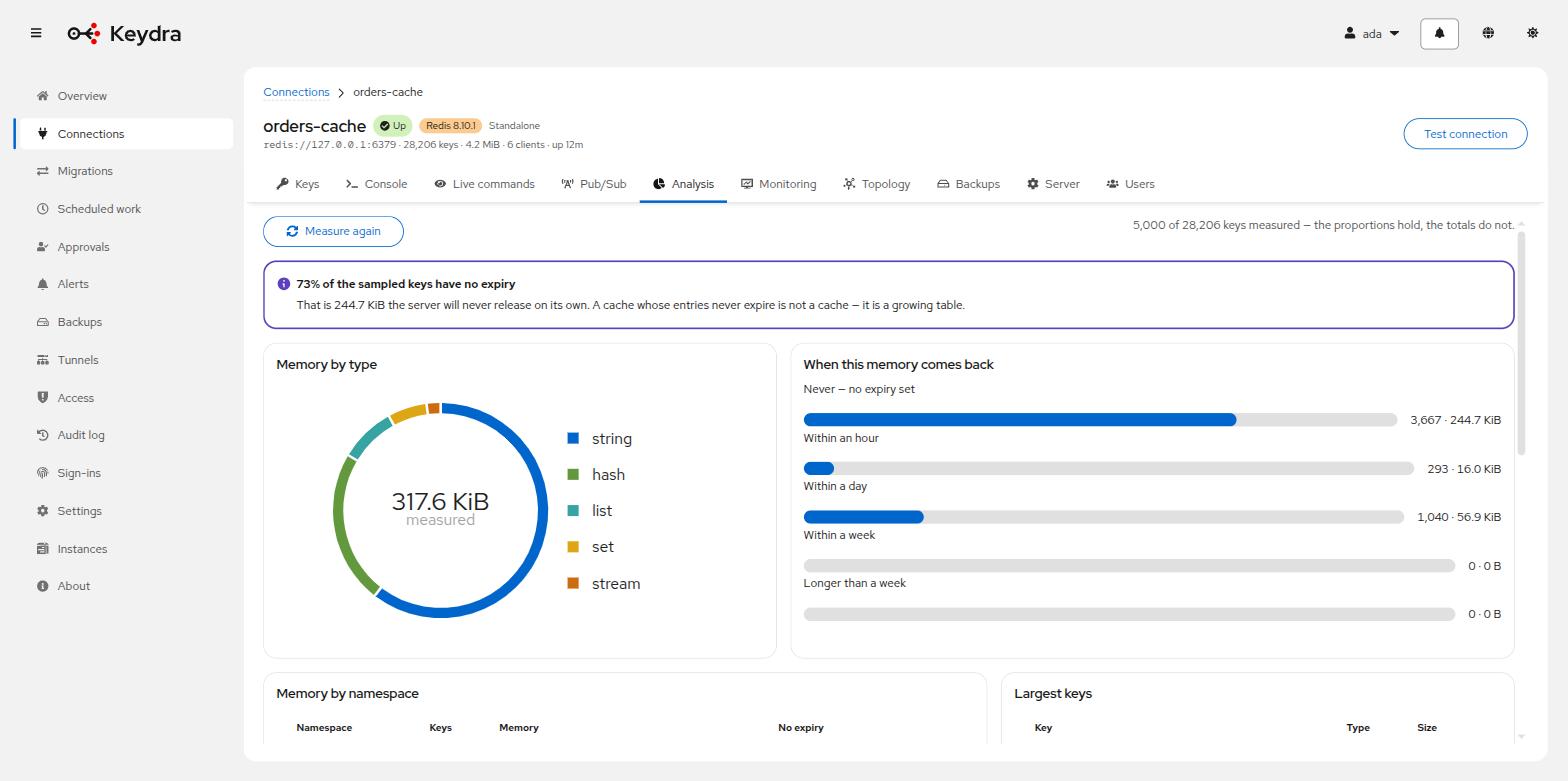
Which namespace grew? Keydra groups the keyspace on the : delimiter and reports
memory and key count per namespace, so growth has a name rather than a number.
How much of this memory is never coming back? Keys are grouped by how long they have left — Never — no expiry set, Within an hour, Within a day, Within a week, Longer than a week. When a large share has no expiry, the page says so plainly: a cache whose entries never expire is not a cache, it is a growing table.
Census or sample#
A small keyspace is measured entirely, and the page says so: All {count} keys were measured.
A large one is sampled, and the page says that too: {sampled} of {total} keys measured — the proportions hold, the totals do not. Stating which of the two you are looking at is the difference between a measurement and a guess presented as one.
Analysing a keyspace#
-
You hold
analysis:readon the target.
-
Open the target and go to Analysis.
-
Read the panels: Memory by type, When this memory comes back, Memory by namespace, and Largest keys.
-
Click Measure again after a change, to see whether it did what you expected.
The header states whether every key was measured or a sample was, and how large that sample was. An empty database says Nothing to measure rather than drawing empty charts.