Console and live commands
A command line against one target, with a deny-list in two halves: one this application will never allow, and one a target may take names out of.
What the console is#
A command line against one target, over a WebSocket. You type a command, Keydra parses it, runs it and streams the typed result back. History is kept per profile and survives the session.
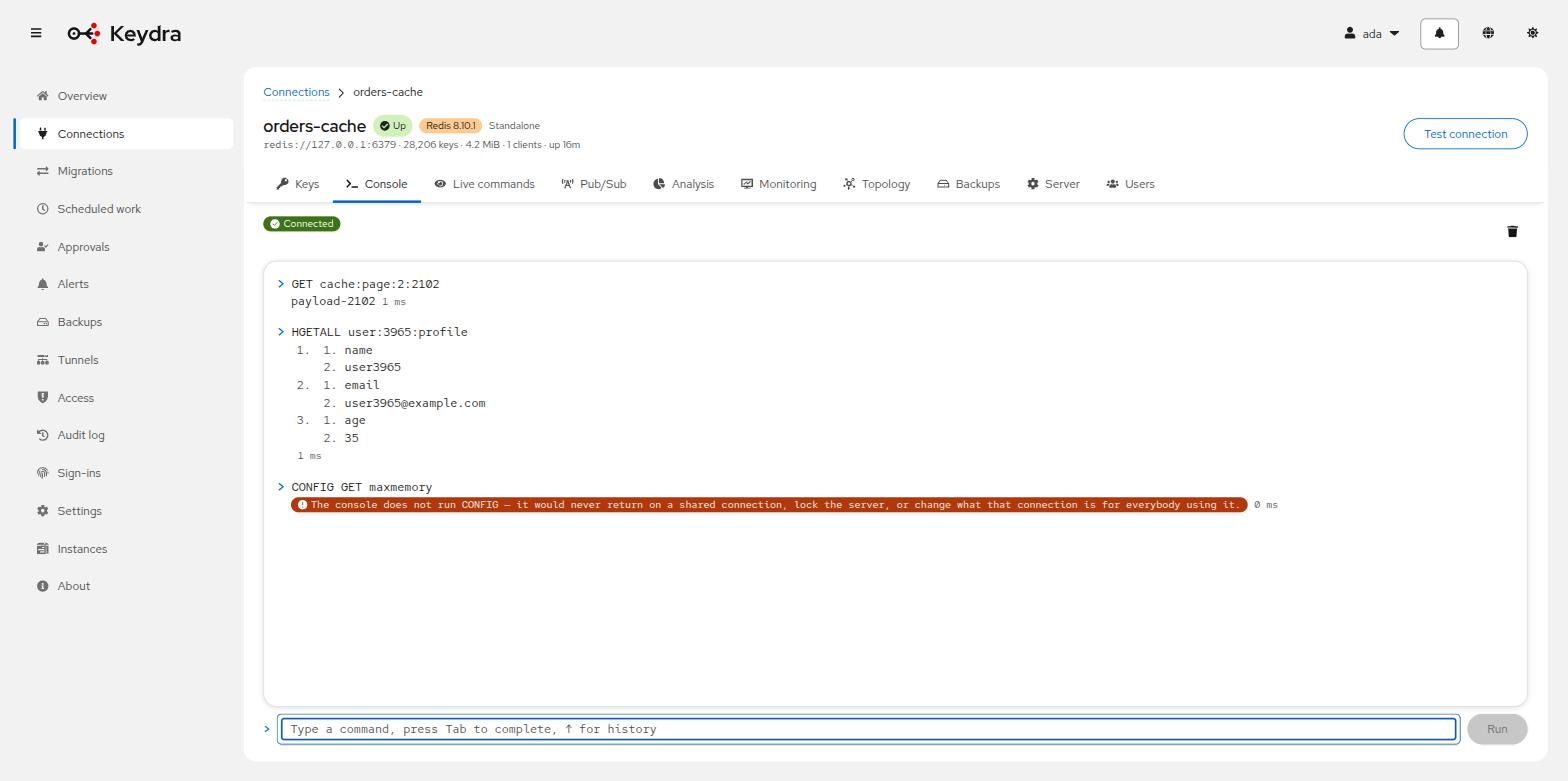
The transcript shows how long each command took. ↑ walks back through history and
Tab completes from a bundled command table.
Why some commands are refused#
Some commands are refused, and the interface says which one and why. The reasons fall into three groups, and none of them is "this command is dangerous" — a database administrator runs all of them.
- Commands that never return on a shared connection
-
SUBSCRIBE,MONITOR, the blocking list and sorted-set pops,WAIT. Keydra pools connections; a command that blocks forever takes one with it. Pub/Sub and command watching have pages of their own for exactly this reason. - Commands that leave the pooled connection somewhere else
-
SELECT,HELLO,AUTH. The connection is shared between everybody using that target, so one person’sAUTHbecomes everybody’s identity. - Commands that reach past what the role holds
-
CONFIG,SAVE,MODULE,EVAL,FUNCTION,RESTORE,MIGRATE,ACL,CLIENT,CLUSTER,SLOWLOGand the replication internals. Running the console isconsole:run, which an operator holds — somebody trusted to change the data, deliberately not somebody trusted to change what the server is.CONFIG SET dirplusCONFIG SET dbfilenameplusSAVEwrites a file of the caller’s choosing anywhere the server process can write;MODULE LOADhands it a shared object to run. Either turns "may edit a value" into "may execute code on that machine".
Also refused: KEYS, FLUSHALL, FLUSHDB and SWAPDB, which block the server for the
length of the keyspace. Emptying a database is available as a scheduled job that names its
target and asks for it by name — see Scheduled work.
The two halves are not equally negotiable#
The refusals fall into two halves, and only one of them is a target’s to reconsider.
One half is about Keydra: a command that never returns on a pooled connection, or leaves it pointing somewhere else. Those are the same wherever the server is, because what they break is this application rather than that server. Nothing anywhere can allow them.
The other half is about the target — CONFIG, MODULE, EVAL, MIGRATE and their
neighbours. Whether they matter depends entirely on which server it is, which is why a
target may take names out of that half and only that half.
Allowing a command on one target#
Console and care, on the connection profile, lists the commands the console may run there, grouped by the reason each is refused. Ticking one allows it on that target and nowhere else.
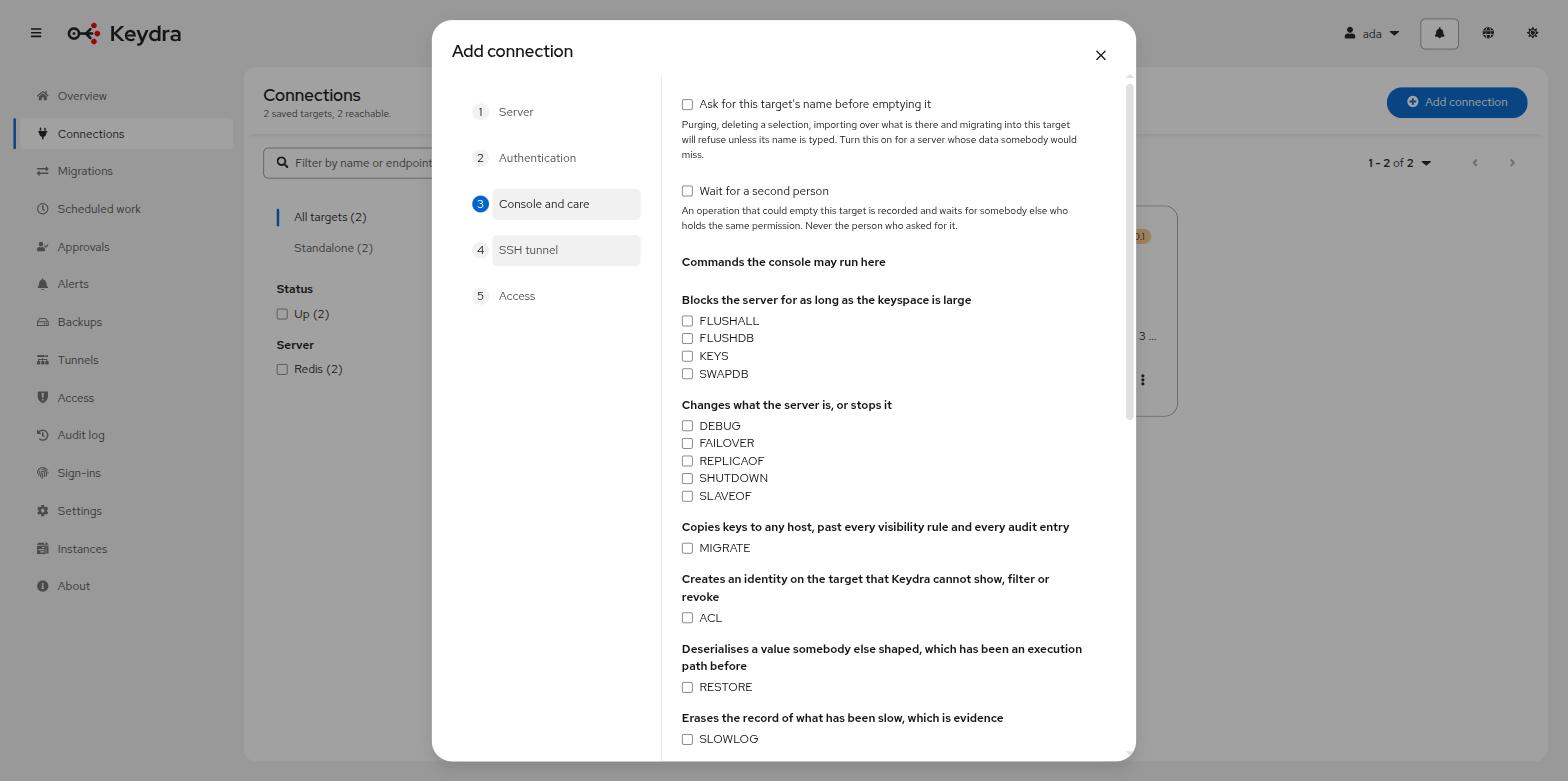
A scratch server where none of it matters, or an installation where the person at the console is the database administrator, says so on that profile — one command at a time, under the sentence that says what allowing it means.
Changing the floor#
keydra.console.denied-commands replaces the built-in list outright and
keydra.console.allowed-commands takes names out of it. Both are optional and neither is set
by default: an empty value is not the same as an absent one, and a written-out empty list
would replace the deny-list with nothing.
These are the floor rather than the whole answer. What they say applies to every target, which is what makes them the wrong place to say "`FLUSHDB` is fine on the scratch server" — configuration cannot name a target, and production is reached by the same instance.
Running a command#
-
You hold
console:runon the target.
-
Open the target and go to Console.
-
Type into Command line. Press Tab to complete, ↑ for history.
-
Press Enter, or click Run.
The transcript shows the reply and how long the command took. An empty reply reads
(empty); a nil reply reads (nil).
A refused command says so in the words of the reason: The console does not run <command> — it would never return on a shared connection, lock the server, or change what that connection is for everybody using it.
Clear the transcript and forget the history empties both.
The status beside the input reads Connected, Connecting or Disconnected. If the session ends, the page says The session has ended and asks you to reload — a console is one session, not a reconnecting one.
Watching live commands#
Every command the target is being asked to run, as it happens — the server’s MONITOR,
streamed to your browser.
-
You hold
commands:watchon the target. This is deliberately narrow: somebody who may read one key at a time has no business reading all of them as they go past.
-
Open the target and go to Live commands.
-
Click Start watching. Until you do, the page reads Not watching and explains that watching costs the server work while it is on.
-
Narrow what is shown with Filter by command, argument or client.
-
Click Stop watching when you are finished.
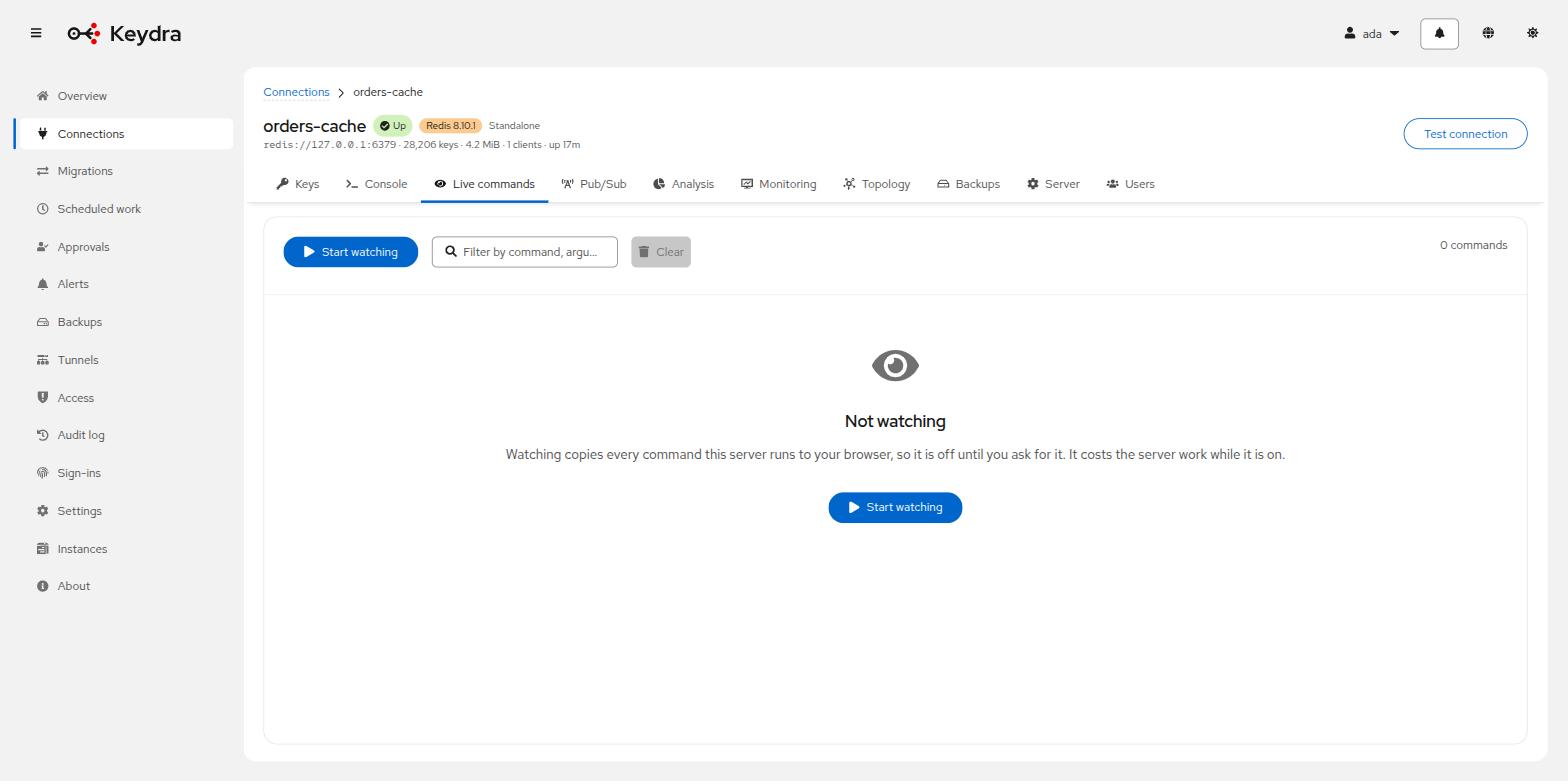
Rows appear with Time, Client, Command and Arguments. Commands the server issues itself are attributed to the server.
If commands arrive faster than they can be read, the page says how many were not shown rather than quietly dropping them.
The stream carries arguments, and arguments carry data. Secrets are redacted before they leave the engine, but a key name and a value are not secrets to redact — they are the contents of somebody’s target.