What is Keydra?
A web console for key-value servers that a team shares, with credentials held on the server and access decided per person and per target.
What Keydra is#
Keydra is a web console for key-value servers. You give it the address and credentials of a server, and it gives you the operations a person needs against that server: browsing keys, reading and writing values, running commands, watching traffic, reading the server’s own statistics, and moving data between two servers.
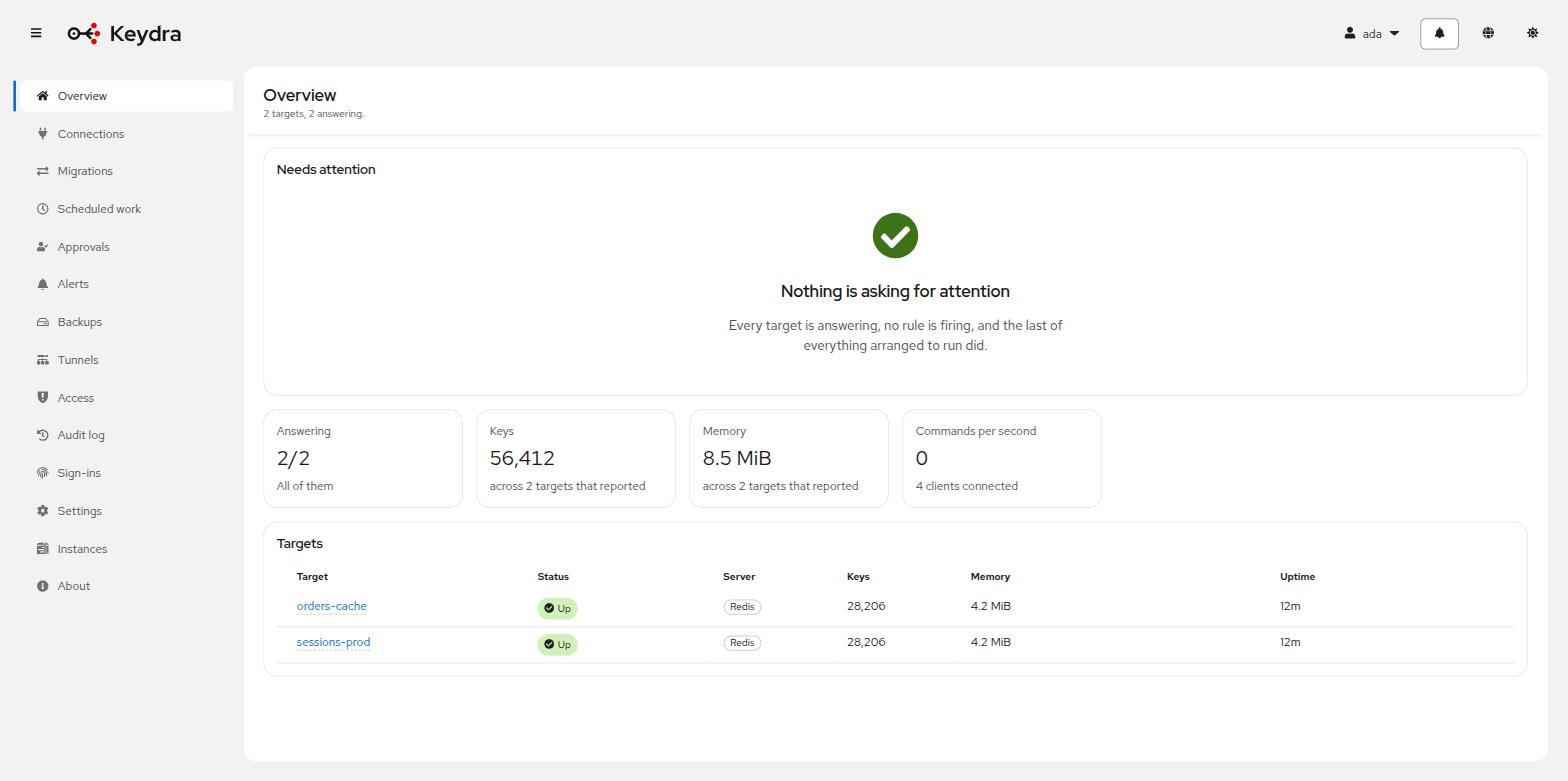
It is not a database and it stores none of your data. What it keeps is a description of how to reach each server, a record of who did what, and the settings for the work it does on a schedule. Everything it shows you it read from the target when you asked.
What makes it different from a desktop tool#
A desktop client runs on one laptop, holds its connection list in that laptop’s home directory, and can only reach what that laptop can reach. That works until a second person needs the same access.
Keydra is deployed once and used by everybody:
- Several people, one instance
-
Each person signs in as themselves. What each of them may do is decided by grants an administrator writes, and the audit log records who did what.
- Credentials in one place
-
A target’s password is stored encrypted, on the server, and is never returned by the API — not to the interface, not to anybody. Adding a colleague does not mean sending them a password.
- Reachability
-
Keydra sits where it can reach the servers. A target on a private network behind a jump host is reachable through an SSH tunnel that is configured once and pointed at by every target behind it.
- Work that continues without you
-
Schedules, alert rules and backups run whether or not a browser is open.
What it talks to#
Redis, Valkey and the forks that speak the same protocol — KeyDB, Dragonfly, Garnet — through one engine, which detects the flavour and version a target is running and reports it in the interface. Aerospike and TiKV through an engine each, because neither speaks that protocol and neither keeps the same shape of key.
Every one of them sits behind the same interface inside Keydra, so a page deals in keys and servers rather than in protocols — and a capability a store does not have is absent from the interface rather than an operation that fails when you use it. See Supported targets.
Supported targets#
Two questions, and they are not the same question. What does the store speak? decides which engine Keydra talks to it with, and therefore what it can offer. How is it arranged? decides how many machines are behind one address.
What the store speaks#
| Name | Description |
|---|---|
|
Redis, Valkey and the forks that speak the same protocol — KeyDB, Dragonfly, Garnet. One engine serves all of them, and which flavour a target is running is detected at runtime rather than configured. Everything Keydra offers is offered here: types, expiry, a command console, Pub/Sub, server statistics, cluster and Sentinel topology. |
|
Aerospike, which speaks its own protocol and keeps a different shape of key. A record is identified by a namespace, a set and a user key rather than by one string — and the user key is stored only when the application that wrote it asked for that. The default is not to, so for most existing data there is no name to show. What works is browsing by set, reading and writing a record’s bins, and its expiry. |
|
TiKV, a flat keyspace of bytes. Its keys map onto Keydra’s better than Aerospike’s do — they are strings of bytes, so the namespace tree and prefix globs work without translation, and a glob’s literal prefix becomes the range scan TiKV actually offers. What it has none of is everything above that: no types, no server statistics, no command language, no Pub/Sub. The published image does not include this engine. It is built with the |
Every store sits behind one interface, so the pages above the engine deal in keys and servers rather than in protocols. Adding another store means adding an engine, not changing the pages.
A command console and Pub/Sub are optional on the engine rather than methods that fail at the first call, so a store without a command language says so in the interface: the tab is not there. That is why a TiKV target has no Console and no Pub/Sub, and a Redis one has both.
The same reasoning explains an empty TTL column on a TiKV target. Asking a TiKV cluster that was not started with TTL enabled for a key’s time to live does not answer an error — the server panics and the process dies. So this engine never asks, and the empty column is a deliberate refusal rather than a gap.
How it is arranged#
| Name | Description |
|---|---|
|
One server, reached at one address. The commonest case. |
|
A Redis or Valkey cluster. Keydra discovers the nodes and their slot ranges from the target and shows them on the topology page. |
|
A Sentinel deployment. The profile names the master, and Keydra asks Sentinel where that master currently is rather than being told an address that changes on failover. |
These describe a RESP target. Keydra asks Sentinel where the master currently is rather than being told an address that changes on failover, and it discovers a cluster’s nodes and slot ranges from the target itself — see Cluster and Sentinel topology.
Flavor detection is a report, not a requirement#
For a RESP target, Keydra reads the server’s INFO server output and shows the
flavor and version it found. It does not refuse a server it does not recognize; it tells you
what answered.
What it does with that answer is hide or disable the operations a flavor does not support, read from the target’s own command table. A target that will not answer that question is marked Not asked and is offered everything, because an unsupported operation failing where it is used is better than silently hiding one the server can in fact do.