Operations that wait for a second person
A target can refuse to be emptied until its name is typed, or until somebody other than the person who asked agrees to it. What waits, who may answer, and what is checked again when it runs.
Two ways to slow down an emptying#
Most of what Keydra does affects one key. A few operations affect a keyspace, and those are the ones somebody runs against the wrong target once in a career. A connection profile offers two answers, and they are different in kind rather than in strength.
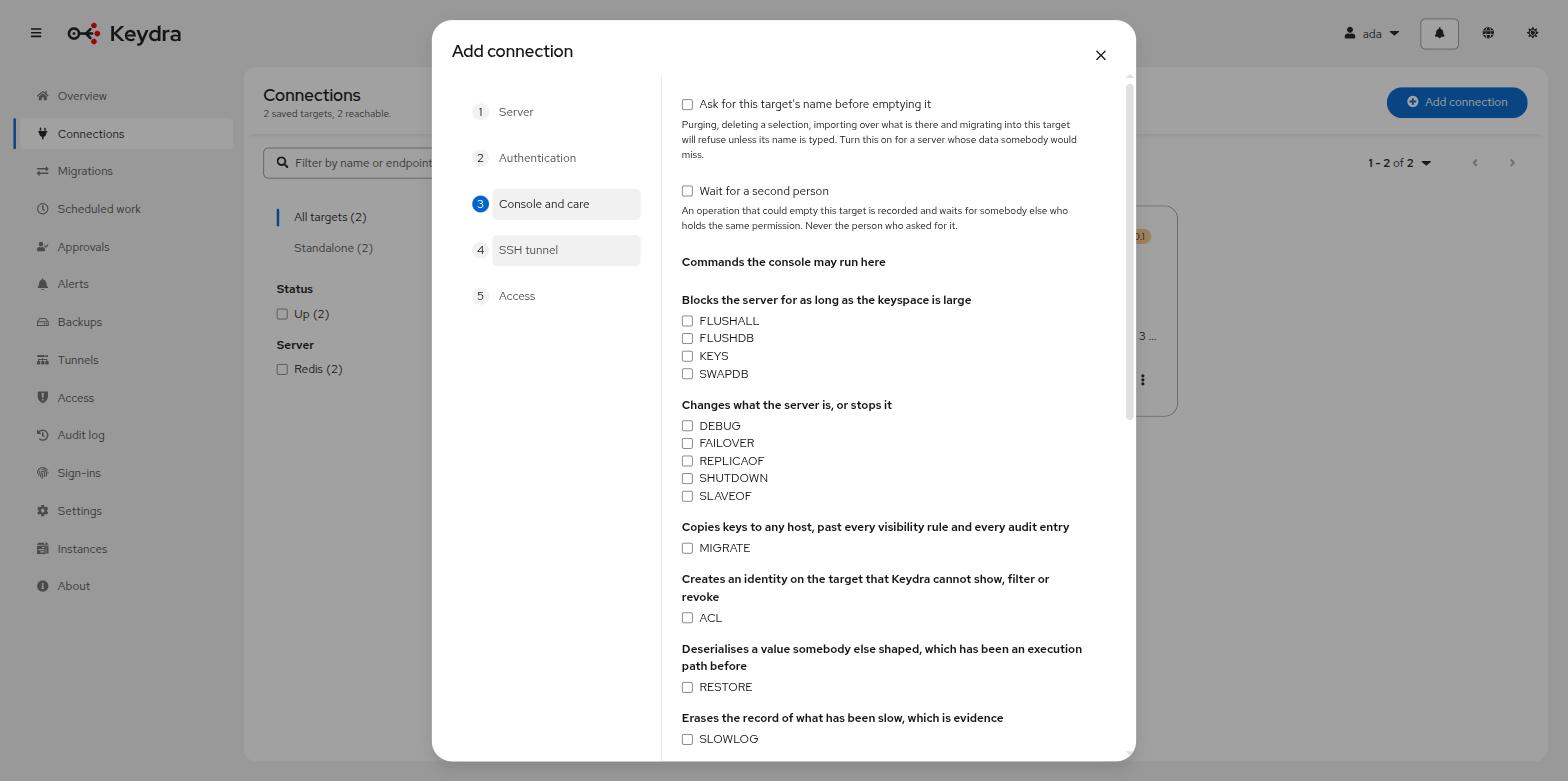
- Ask for this target’s name before emptying it
-
A confirmation the person cannot click through. Purging by glob, deleting a selection, importing over what is there and migrating into this target all refuse until the target’s own name is typed. It stops the mistake and nothing else — the person still decides alone, and they decide in a second.
- Wait for a second person
-
The operation is recorded rather than performed, and waits for somebody else who holds the same permission. It stops the mistake, and it also stops the one person who should not have been trusted with it alone.
Both are per target, on the connection profile, because the answer is different for a scratch cache and for the store the checkout reads. An installation that asked for two people everywhere would get a queue nobody reads and a habit of approving without looking.
What waits#
Five kinds, and they are exactly the operations that already have to name their target:
- Delete everything a glob matches
-
A pattern is a keyspace by another name.
- Delete a named selection
-
So is a long enough list.
- Import over what is there
-
Writing a dump on top of a running store.
- Move or copy keys to another target
-
The only kind with two ends, and both of them count — writing into a target can overwrite it, and moving keys off one empties it as surely as deleting them does. Whoever approves has to hold the permission on both.
- Arrange one of the above to happen later
-
Without this the requirement has a hole wide enough to walk through: somebody who may not purge a target alone would write a schedule that purges it in two minutes and be asked nothing. What is approved is the arrangement, and approving it is what creates it. The firing is not approved again, because nobody is present at three in the morning.
A single write, one key, a TTL: none of these. A confirmation asked on every ordinary edit is one nobody reads by the third time.
Who may answer one#
Whoever holds what the operation itself needs — keys:delete for a purge, transfer:import
for an import, migration:run on both ends of a migration — and is not the person who asked.
There is no approval:decide permission, deliberately. One would have to be granted before
the requirement could be turned on, and until somebody did, a target with the flag set would
be one nobody in the building could empty: a control whose first effect is an outage. This
way, turning it on changes nothing about who may do what. The people who could each do it
alone can now do it in pairs.
Never your own, whatever you hold. If one person holds the permission, the operation cannot happen — which is what an installation that asks for two people and has one has asked for.
The request is the operation#
The row carries everything the operation needs, encrypted, written down when it was asked for and existing nowhere else. What an approver reads is what runs.
The alternative — an unlock the requester then uses — lets the glob, the key list or the overwrite flag change between the agreement and the act, which would make an approval a signature on a document somebody rewrote afterwards.
The payload is encrypted for what is in it: for an import the dumped values themselves, and for a bulk delete a list of key names. Everything else in Keydra already treats those as the contents of somebody’s target.
What is checked again when it runs#
Whether the person who asked still holds what the operation needs. Between the asking and the agreeing there is a gap of hours by design, and without that check the gap would be somewhere an access that has been taken away still works.
A request whose author has lost a permission says which one, on the page where somebody is waiting for it — "no longer holds `keys:delete`" and "no longer holds `migration:run`" are two different things to have to fix.
It expires rather than disappearing#
A request that nobody answers within keydra.approvals.ttl — a day by default — stops being
answerable and says Expired.
A day is long enough that a colleague in another time zone gets to see it, and short enough that nobody agrees to a purge against a keyspace they last looked at three weeks ago. An approval is agreement to a state of the world rather than to a sentence, and the world moves.
It ends rather than being deleted, because the failure the expiry exists to prevent is somebody believing an operation is arranged when it is never going to happen. The row stays and says what became of it.
Asking for an operation, and answering one#
-
To ask: the permission the operation itself needs, on the target it is about.
-
To answer: the same permission, and not having been the person who asked.
-
connection:editon the target, to turn the requirement on in the first place.
To make a target ask for two people:
-
Go to Connections, open the target’s actions menu and choose Edit.
-
Open the Console and care step.
-
Tick Wait for a second person.
-
Click Save.
To ask for an operation:
-
Run it as you normally would — purge by a glob, delete a selection, import a file, start a migration, or save a schedule that does one of those.
-
Instead of doing it, Keydra answers Recorded, not done and writes the request down.
To answer one:
-
Go to Approvals. Requests about targets you cannot see are not listed.
-
Read the What it would do column, and expand the row for the detail. This is the whole operation, exactly as it will run.
-
Click Approve, or Decline and give a Reason — the person who asked reads it, so say what would change your answer.
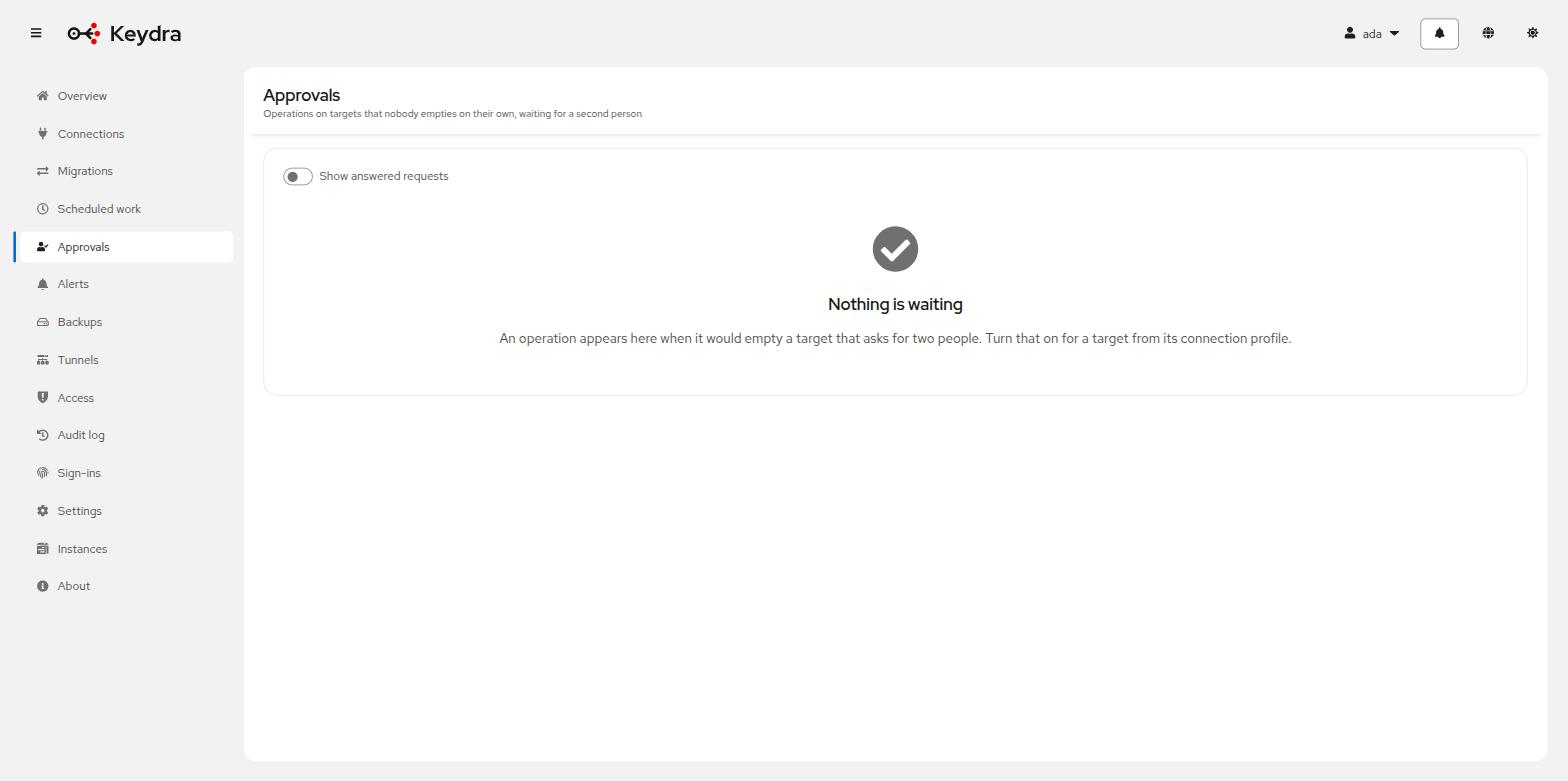
An approved request reads Approved; the operation is running on {name} and then moves to Done, or to Failed with what went wrong. A declined one reads Declined with the reason and the name of whoever answered.
Turn on Show answered requests to see the ones that are finished. The default list is what is waiting, because that is the reason anybody opens the page.
Your own requests are marked Yours and offer no Approve button — You asked for this one, so somebody else has to agree to it. You can Withdraw one, which is yours alone and only while it is still waiting.