A target’s own settings
The Server tab reads a target's persistence and its several hundred settings, and writes changes back to it. What takes effect at once, and what survives a restart.
Reading and changing a server’s own settings#
The Server tab is the target’s own configuration and its own persistence, read from the server and written back to it. It is not Keydra’s configuration, and nothing on this page is stored here.
-
server:readto see the page,server:configureto change anything on it. -
A target whose flavor answers questions about its settings. A store that will not be asked has no tab here rather than an empty one.
To see how the data is being kept:
-
Open the target and go to Server.
-
Read Keeping the data: whether Snapshots and the Append-only log are on, when the server Last saved, where its Snapshot file is, and how many Writes since then.
To ask the server to save now:
-
Click Snapshot now. The page reports The server accepted the request., or The server is writing right now. if one is already under way.
-
Rewrite the log compacts the append-only file, where the server keeps one.
To change a setting:
-
Type into Filter settings to find it among the several hundred the server reports.
-
Click the pencil on its row, give the new value, and confirm. The page says <name> changed., or The server refused with what it said.
To make a change survive a restart:
-
Click Write these to the server’s file.
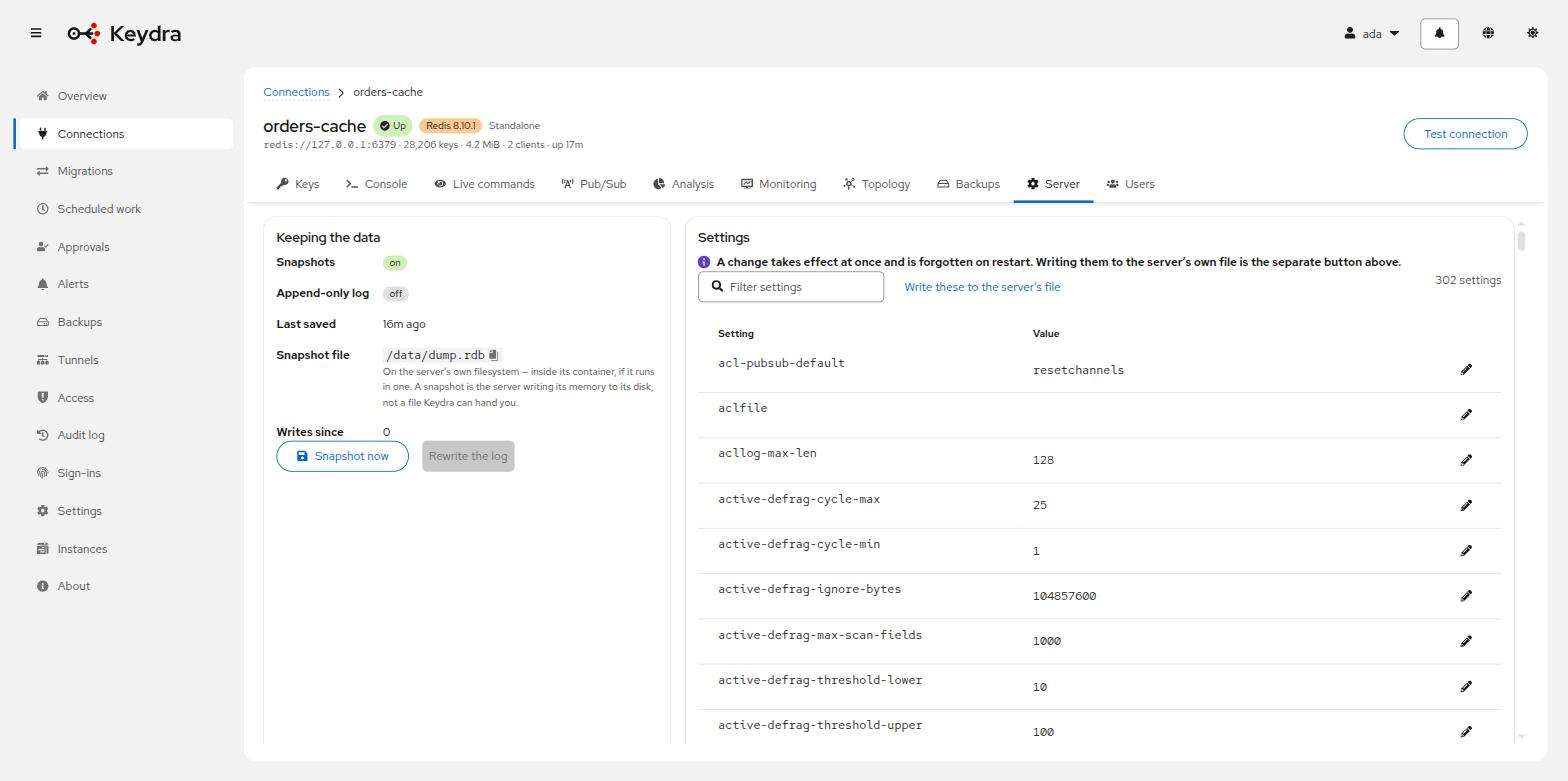
The value in the Value column is what the server now reports, because the table is re-read rather than updated optimistically. A setting the server has no value for reads (not set).
A change takes effect at once and is forgotten on restart. Writing them to the server’s own file is the separate button above the table — the interface says so on the page, because the gap between "I changed it" and "it is still changed tomorrow" is where a night of work goes.
If the last save failed, the page says so and says what it means: until one succeeds, a restart loses everything written since the last one that did. That is a sentence about the target, and it is the one thing on this page worth acting on immediately.
Managing a target’s own users#
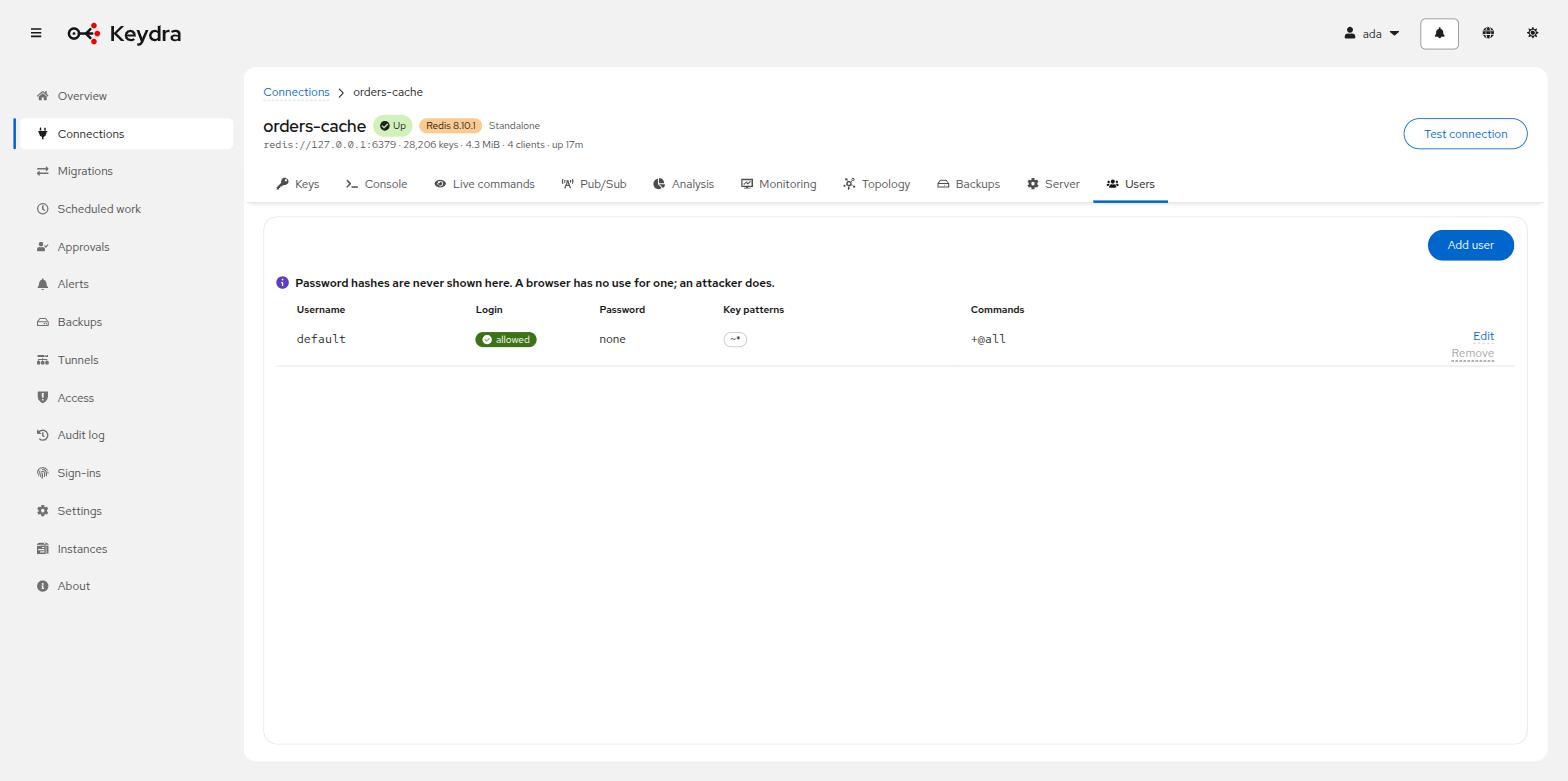
A Redis or Valkey server has its own ACL: users, passwords and the command categories each may run. That is a different question from who may use Keydra, and Keydra does not conflate them.
-
Open the target and go to the ACL page. You need
acl:readto see it andacl:manageto change it. -
The page lists the users the target knows about and the permission categories it defines.
Changes take effect on the server immediately, and are recorded in the audit log with the subject ACL.
ACL is on the console’s deny-list. Creating an identity on the target from a console would
create one Keydra does not know about, and therefore cannot show, filter or revoke.
This page is where it is done instead.
Keydra does not have per-key permissions of its own. The server’s ACLs already answer that question, and two answers to one question is worse than one.