Scheduled work
A job, a target, a cadence and a switch — with the credentials already here and a run that stops being something you find out about.
What a schedule is#
A schedule is a job, a target, a cadence and a switch. A run is one attempt, with what it did and whether it worked.
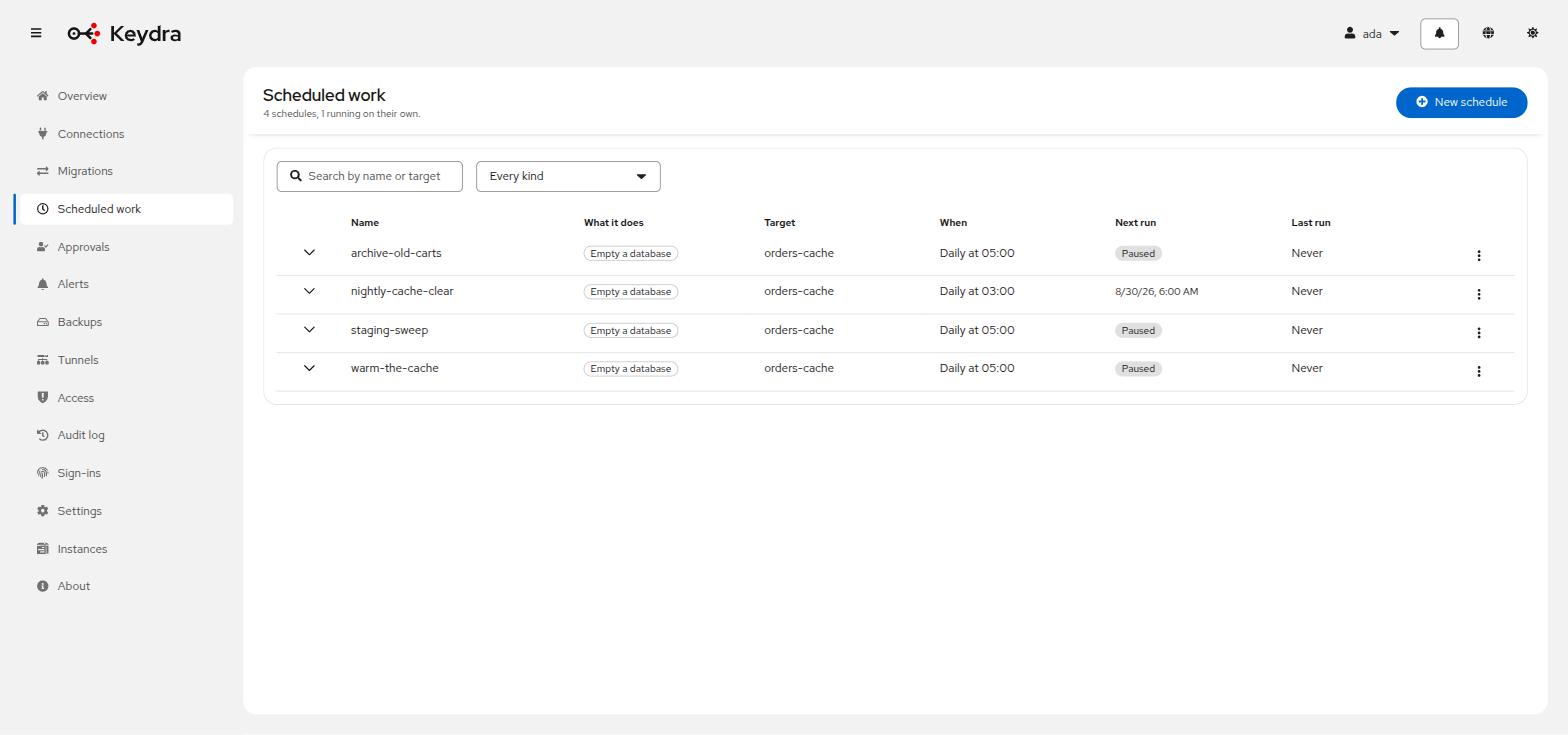
Everything else — which keys, which second target, how many at a time — belongs to the job’s own settings, because the jobs have little in common beyond being worth repeating.
The kinds of work available:
| Name | Description |
|---|---|
|
Empties a database on the target. The job everybody has a shell script for, and the one everybody has run against the wrong server at least once — so it names its target and asks for it by name. |
|
Copies keys to another target, on a cadence. The same code a migration started by hand uses, so a nightly copy and a manual one behave identically. |
|
Writes keys, values and expiries to a file. With a backup destination configured, the file leaves the machine and old ones fall off the end. |
Permissions#
A schedule requires the permission its job would need if somebody ran it by hand, and
schedule:manage on the target. Both are checked when it is saved and again when it runs.
A schedule is a way of doing something later, not a way of doing something you may not do.
Runs are recorded before they start#
A job that never finishes is visible as one that never finished, rather than as one that never ran.
A failed run raises a notification. Successful ones do not — a toast every five minutes would bury the one that matters — but the page’s "last run" column changes either way.
Creating a schedule#
-
schedule:manageon the target, plus the permission the work itself requires — for examplekeys:deletefor a flush,transfer:exportfor an export,migration:runfor a copy.
-
Go to Scheduled work.
-
Click New schedule.
-
Give it a name and choose the target.
-
Choose the kind of work and complete its settings.
-
Give the cadence as a cron expression.
-
Save it, enabled.
The row appears with its cadence and next run. Click Run now to prove it does what you meant before waiting for the clock — which is what everybody does the moment they have written one.
Flush a database is the job everybody has a script for, and the one everybody has run against the wrong target at least once. It names its target and asks for it by name before it will save.
Watching what ran#
-
Go to Scheduled work.
-
Open a schedule’s Details to see its run history: when each run started and finished, what it touched, and what went wrong if anything did.
The list header counts the schedules that are failing, so a job that has quietly stopped working is visible from the page rather than from the empty cache it was feeding.
A failed run also arrives as a notification while you are using Keydra, wherever you are in it.
Where more than one Keydra runs against one database, schedules are registered only on the instance holding the lease. A job that fires during a handover runs once, on whichever instance holds it then.