Reading and editing values
An editor per type, loaded in segments so a large value is opened rather than downloaded, and a decoder chain that reads what was stored.
Reading and changing values#
Each of the server’s types has an editor of its own, and each loads in segments rather than
all at once — HSCAN, SSCAN and ZSCAN for the scanning types, windows of LRANGE for
lists, pages of XRANGE for streams. A large value is opened rather than downloaded.
- String
-
One editor, with an Encoding selector.
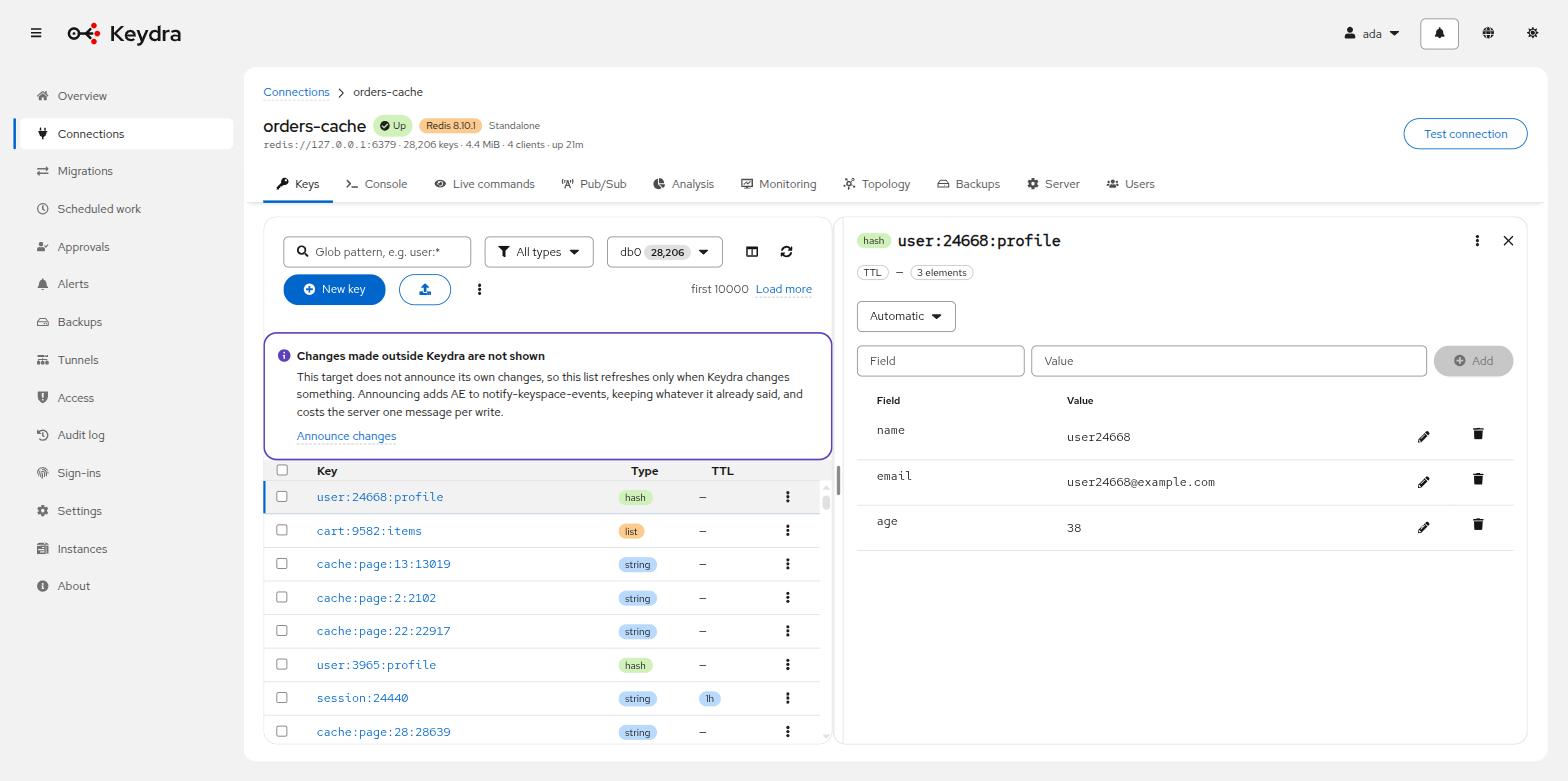
- Hash
-
A Field and Value table with inline editing, New field name and New field value to add one, and a delete action per row.
- List
-
An Index and Value table. New elements go to the Head or the Tail.
- Set
-
A Member table, with New member.
- Sorted set
-
Member and Score, both editable.
- Stream
-
A viewer, paged.
A value that is too large to return#
Some values cannot be returned whole. Keydra shows the beginning and marks the value Shown in part, with the explanation that it cannot be edited or copied from here without overwriting the rest. Copying is refused for the same reason: it would produce something shorter than what is stored.
Copying a value out#
The key’s actions offer Copy key name, Copy as JSON and Copy as redis-cli command. The last is the one that makes a value portable into a terminal or a script.
Encodings Keydra can decode#
The Encoding selector defaults to Automatic, which lets the server detect the format. Choosing one explicitly is for the cases where the guess is wrong or where a value could plausibly be read two ways.
| Name | Description |
|---|---|
|
Base64-encoded content, decoded and then offered to the rest of the chain. |
|
Brotli-compressed content. Guessed last and under conditions, because Brotli carries no header to recognize it by. |
|
Raw deflate, without the gzip wrapper. |
|
Gzip-compressed content. Announces itself with a magic number, so the guess is safe. |
|
Bytes as hexadecimal, for values that are not text at all. |
|
Java serialization. Described rather than deserialized: turning it back into an object means running code the value chooses. |
|
Recognised as JSON and shown formatted. The commonest thing a string holds. |
|
LZ4-compressed content. |
|
MessagePack, decoded into a readable structure. |
|
PHP’s |
|
Python pickle. Described rather than unpickled, for the same reason as Java serialization. |
|
The bytes as they are, decoded as UTF-8 text. What most values are, and the last thing tried. |
|
Protocol Buffers, shown as the field numbers and wire types the bytes actually contain — no schema is available, so the field names are not. |
|
Zstandard-compressed content. |
Decoding happens on the server when the value is read, and changes nothing on the target. What is stored stays exactly as it was.
Brotli announces itself in no way at all — it has no magic bytes. Its guess is fenced: it is tried last before plain text, the stored value must look like bytes, and what comes out must be printable and larger than what went in. Anything else and the value is shown as it is.
Java serialization and Python pickle are described rather than deserialized. Turning either back into an object means running code the value chooses, which is a remote code execution primitive rather than a feature.