Access control
A grant says a subject holds a role on a scope. Groups nest, server groups nest, there are no deny rules, and absence is the denial.
How Keydra decides who may do what#
Four nouns, and one sentence that joins them.
- Subject
-
A user, or a group. Groups contain users and other groups.
- Scope
-
What a grant is about: the whole instance, one server group, or one connection.
- Role
-
A named bundle of permissions. The built-in ones cannot be edited; you can define your own.
- Permission
-
One thing somebody may do, from a closed list.
A grant says: this subject holds this role on this scope.
Everything else is derived. What somebody may do to a target is the union of the permissions of every role granted to them, or to any group containing them, on that target or on anything containing it.
Why a graph rather than a table#
Groups contain groups, and scopes contain scopes. Both are followed when a question is asked:
subjects                     scopes
  alice ──▶ payments-devs      instance
              │                   │
              ▼                   ├──▶ payments-servers ──▶ payments-cache
            engineers             │                    └──▶ payments-sessions
                                  └──▶ analytics-servers ──▶ analytics-cluster
Granting operator to engineers on payments-servers reaches Alice through the subject
graph and reaches payments-cache through the scope graph. Neither edge is written twice —
an organization that has to restate its structure in a permission table will stop
maintaining the table.
Both graphs are kept acyclic. A group containing itself has no useful meaning and would make the question unanswerable.
Grants only, never denials#
There are no deny rules. In a system with both, the answer to "why can Alice not see this?" is a search rather than a lookup, and the answer to "is this locked down?" is nobody’s to give.
Somebody who should not reach a server is granted nothing on it. Absence is the denial, and absence is visible: the Access page shows what is there, and what is there is all there is.
Visibility is not a separate setting#
A target appears to somebody when they hold any permission on it. There is no "can see" flag to keep in step — a target somebody may do nothing with is a target they have no reason to know about, and the two facts cannot drift apart because there is only one of them.
This is filtered in one place, so the catalog, the fleet overview, the totals and a migration’s destination list are all filtered by having asked one question.
Revocation takes effect on the next request#
A session carries a name and nothing else. Every request rebuilds what its owner may do from the grants as they are now, so revoking access does not wait for a sign-out.
Where a shared store is configured, the identity behind a cookie and the permissions it carries are cached under a short TTL — and anything that changes an account, a grant, a group or a profile publishes an invalidation, so every instance drops what it was holding. The TTL is the safety net for a message nobody heard; the message is what keeps a revocation immediate.
The built-in roles#
| Role | Description |
|---|---|
|
Read-only, everywhere it is granted: see the target, browse its keys, read values, watch its dashboard. |
|
Everything a viewer may do, plus changing the data — writing and deleting keys and values, running a console, publishing, migrating, and arranging work on the target. Deliberately not changing what Keydra points at. |
|
Every permission there is, including the ones about Keydra itself: creating connections, managing accounts and grants, identity providers, tunnels, backup destinations, alert deliveries, the audit log and the encryption key. |
These three cannot be edited. A deployment that needs something between them defines a role of its own, on the Roles tab of the Access page, choosing permissions from the full list.
A token carrying a viewer, operator or admin claim becomes a grant of that role on the
instance scope. A deployment that was using the three global roles keeps working before
anybody configures anything.
Creating users and groups#
-
You hold
users:manageandgroups:manage.
To add an account:
-
Go to Access and open the Users tab.
-
Click Add user.
-
Give a Username, and optionally a Display name and Email.
-
Either set a Password, or leave it empty and invite the person — see Inviting somebody.
-
Leave Enabled ticked. A disabled account cannot sign in and keeps its grants for when it is enabled again.
To add a group:
-
Open the Groups tab and click Add group.
-
Name it, and optionally place it Inside another group.
-
Open it and use Add member to put people — or other groups — in it.
A new account can sign in and see nothing: An account lets somebody sign in and see nothing. Access arrives as a grant.
Putting targets in server groups#
A server group is what a grant points at, so people get access to a set of servers rather than one at a time.
-
You hold
groups:manage.
-
Go to Access and open the Server groups tab.
-
Click Add server group and name it. Optionally place it Inside another server group.
-
Open it and use Choose servers to put targets in it.
The group lists its servers. Removing the group removes the grants on it; the servers themselves are untouched.
A target may be in zero or more server groups, and groups nest. A grant on a parent reaches everything under it.
Granting access#
-
You hold
grants:manage.
-
Go to Access and open the Grants tab.
-
Add a grant naming three things: the subject (a person or a group), the role, and the scope (the instance, a server group, or one connection).
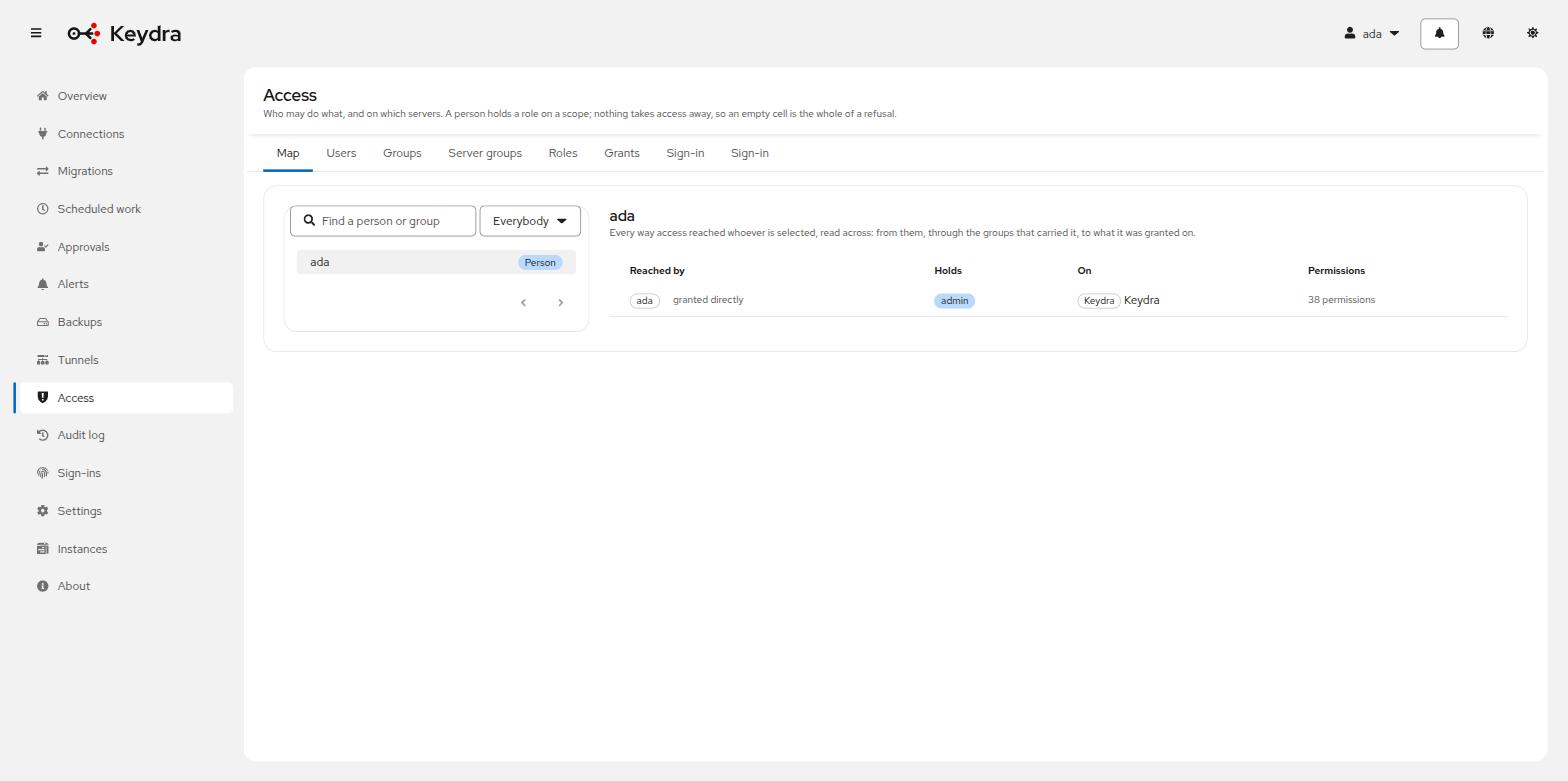
Open the Matrix tab: subjects down, scopes across, roles in the cells. A filled label was granted there; an outlined one arrived from a group above.
The matrix follows both containments — people through their groups, targets through theirs — which is what makes it answer the question people actually arrive with and that no single row anywhere states.
To express the payments team may write the payments cache, may read the sessions cache, and must not know the analytics cluster exists:
-
Make a group
payments-devsand put the people in it. -
Make server groups
payments-serversandanalytics-servers, and put the targets in them. -
Grant
payments-devstheoperatorrole on thepayments-cacheconnection. -
Grant
payments-devstheviewerrole on thepayments-sessionsconnection. -
Grant nothing on
analytics-servers. Absence is the denial — the analytics cluster does not appear anywhere for them.
The audit log#
Every operation that changes something is recorded: who did it, what, to which target, when, and whether it succeeded or was refused.
Reads are not recorded. A log of every page view buries the entries somebody will come looking for.
-
Go to Audit. You need
audit:read. -
Filter by What and by Who, and page through.
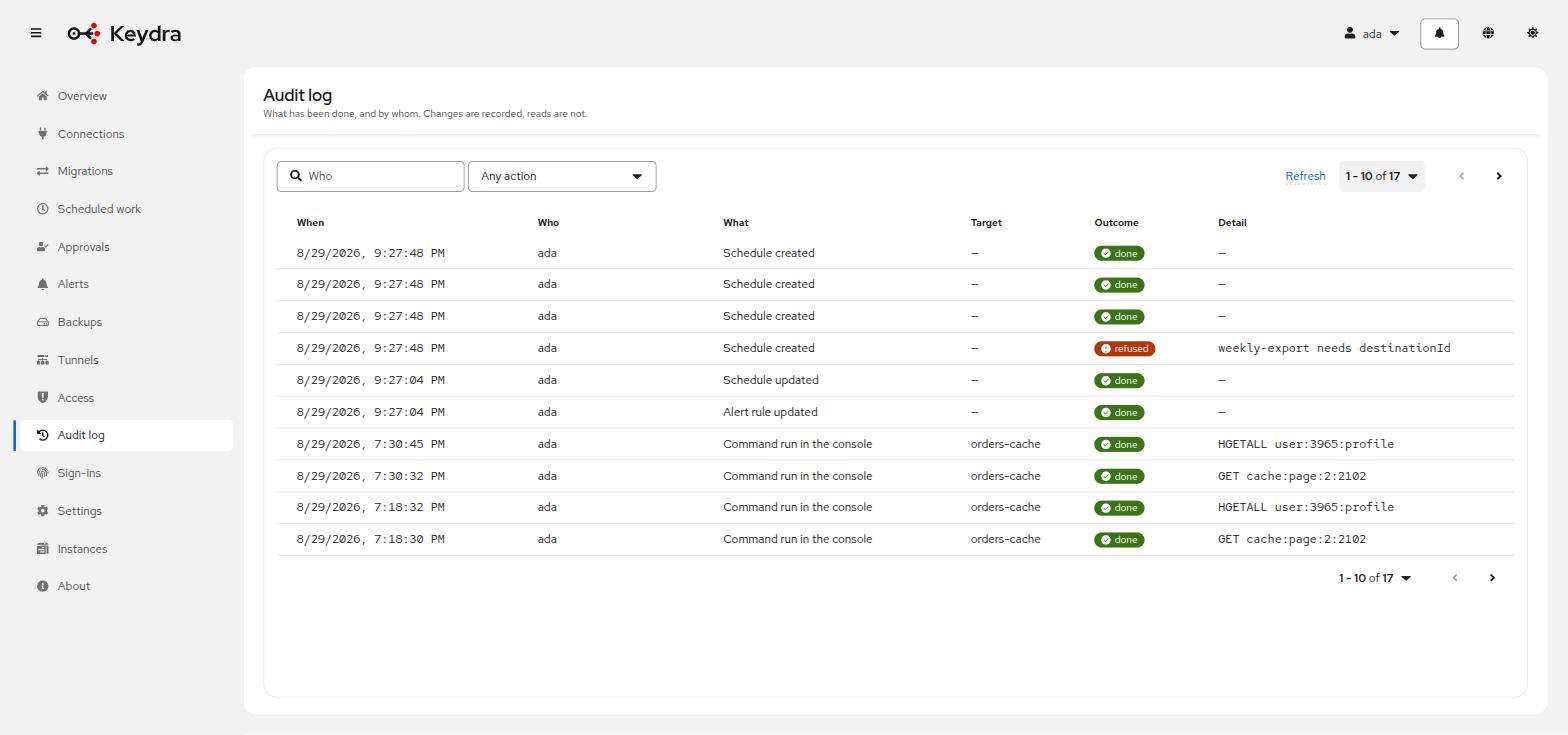
Each row names the subject of the change in the interface’s own words — Connection, Grant, Encryption key, Backup destination, Schedule and so on — with the outcome done or refused.
A refused operation is recorded too. An attempt somebody was not allowed to make is exactly the entry an audit log exists for.